

waveshare 5inch HDMI LCD (B) 5" 800×480 Resistive Touch Screen LCD TFT Monitor for Raspberry Pi 4B/3B+/3B/2B/A+/Zero/Zero W/WH, PC Windows 10/8.1/8/7, Driver Free
Product details
| Management number | 209107574 | Release Date | 2026/03/29 | List Price | $18.40 | Model Number | 209107574 | ||
|---|---|---|---|---|---|---|---|---|---|
| Category | |||||||||
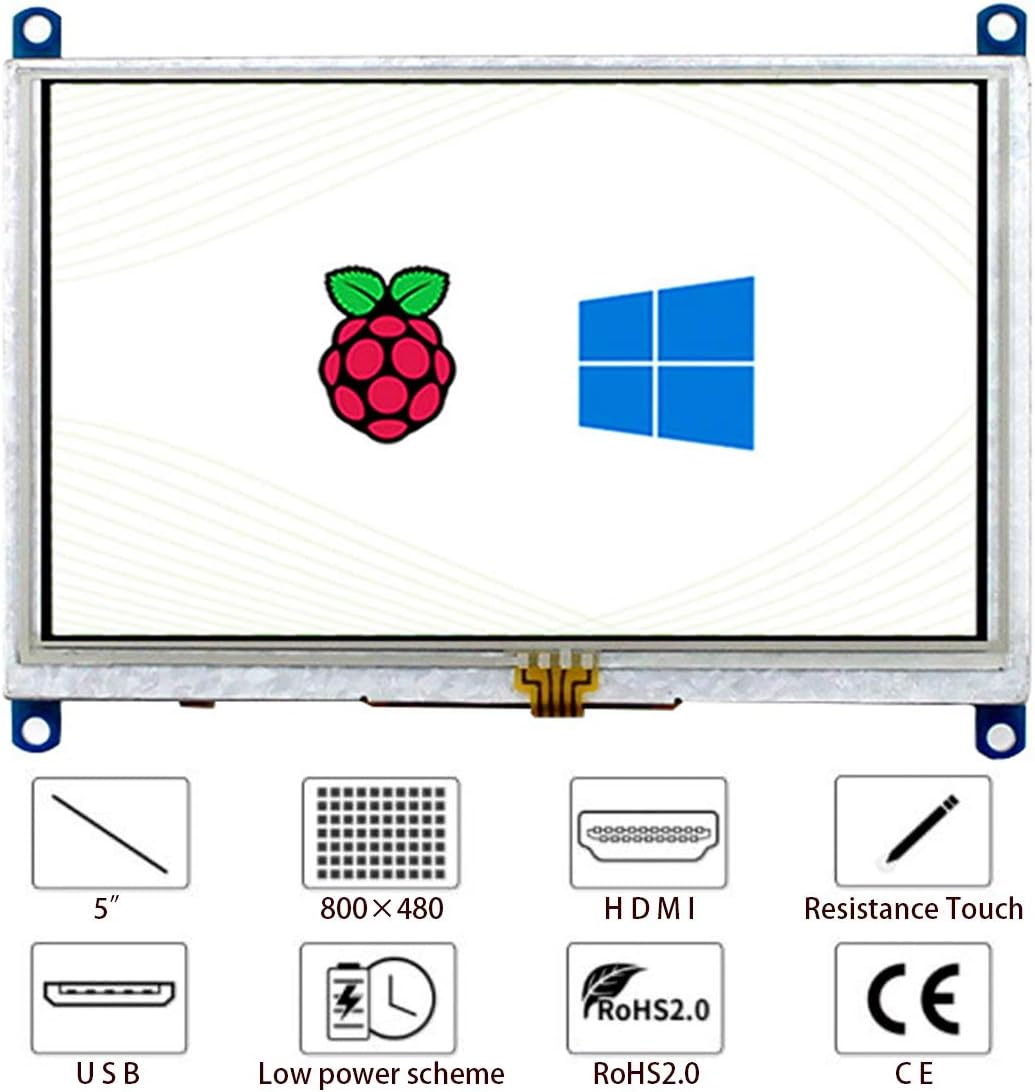
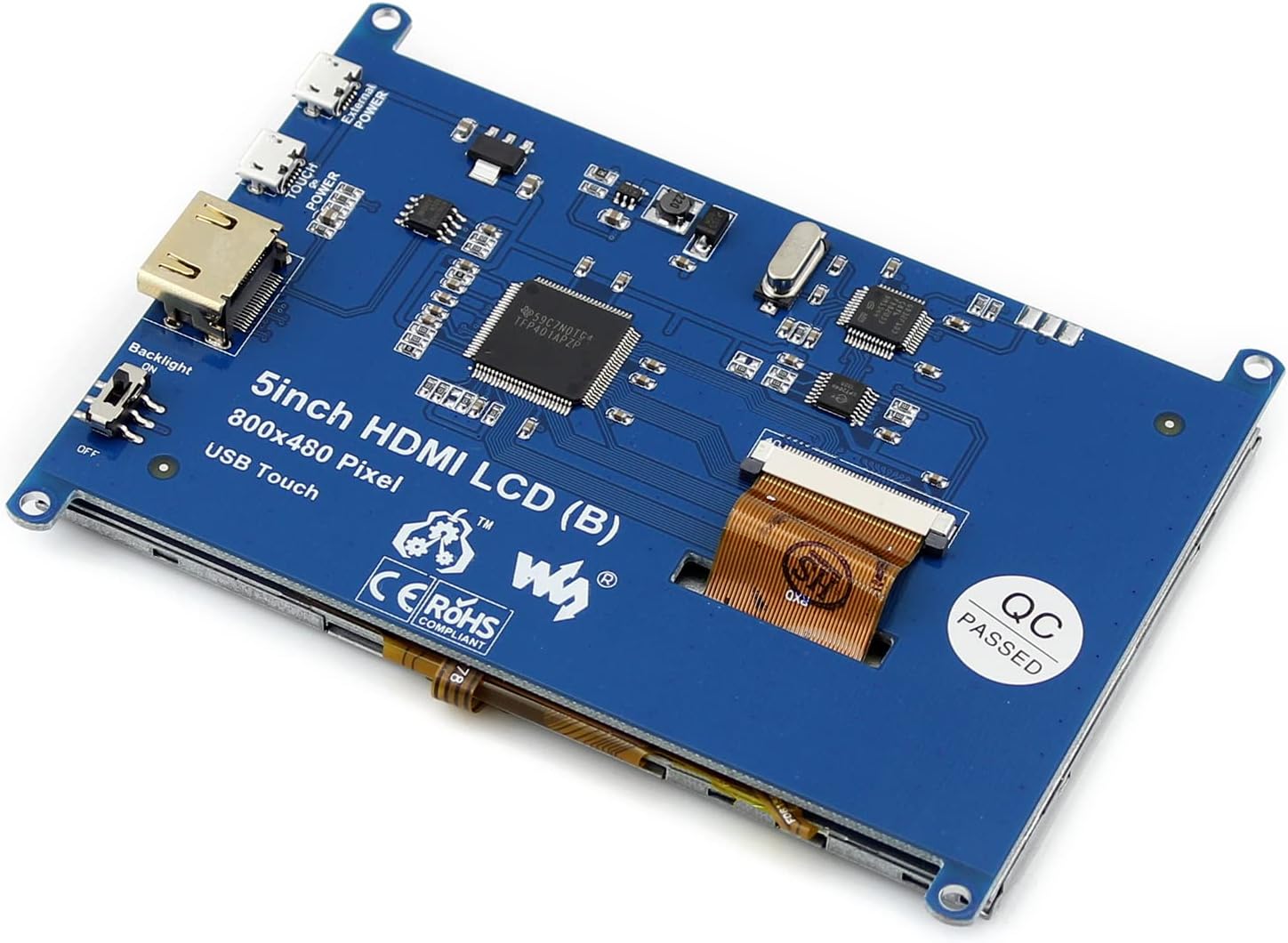
5inch Resistive Touch Screen LCD, with a resolution of 800×480, Supports all versions of Raspberry Pi and can also be used as a computer monitor. Features 1)Supports all versions of Raspberry Pi. Supports Raspbian, single point touch, driver free. Supports Ubuntu / Kali / WIN10 IoT, single point touch, driver free. Supports Retropie, driver free. 2)Supports PC. Supports Windows 11 / 10 / 8.1 / 8 / 7, single point touch, driver free 3)Backlight can be turned off to lower power consumption Package Content 5inch HDMI LCD (B) x1 HDMI cable x1 HDMI to Micro HDMI Adapter x1 USB type A plug to micro B plug cable x1 Stylus x1 RPi screws pack (4pcs) x1 Quick start sheet x1 FAQ 1)What can I do if the thin red lines appear on the edge of the screen? Answer: Edit the config.txt and add this line at the end of the config.txt file: hdmi_drive=1 2)What should I do if I connect to the PC with LCD and it cannot display normally? Answer: Make sure that the HDMI interface of the PC can output normally. The PC only connects to this LCD as a monitor without others. You should connect the touch cable first and then the HDMI cable. Some PC need to be restarted to make the LCD display normally. Note: The PC must use windows system. 3)Do I need an external power supply when I use 5inch HDMI LCD (B) connect to Raspberry Pi? Answer: When the Raspberry Pi is powered by a 5V 2A power adapter and connects to 5inch HDMI LCD (H), it doesn’t require an external power supply by default. However, if the user uses the Raspberry Pi to drive other high-power devices at the same time, the USB interface on the Raspberry Pi may be insufficiently powered, at this time an external power supply is required.
- 5 inch Resistive Touch Screen LCD, with a resolution of 800×480, Supports all versions of Raspberry Pi and can also be used as a computer monitor.
- Supports all versions of Raspberry Pi. Supports Raspbian, single point touch, driver free. Supports Ubuntu / Kali / WIN10 IoT, single point touch, driver free. Supports Retropie, driver free.
- Supports PC. Supports Windows 11 / 10 / 8.1 / 8 / 7, single point touch, driver free
- Backlight can be turned off to lower power consumption
| Brand | waveshare |
|---|---|
| Model Name | 5inch HDMI LCD (B) |
| Resolution | 800 x 480 |
| Aspect Ratio | 1.66:1 |
| Display Type | LCD |
| Manufacturer | Waveshare |
| Mounting Type | Desk Mount |
| Screen Finish | Glossy |
| Viewing Angle | 178 Degrees |
| Contrast Ratio | 2000:1 |
| Native Resolution | 800 x 480 |
| Display Technology | LCD |
| Additional Features | Touchscreen |
| Hardware Connectivity | HDMI |
| Connectivity Technology | HDMI |
| Display Resolution Maximum | 800x480 |
| Total Number of HDMI Ports | 1 |



Bestseller ranking
Single Board Computers


Customers who viewed this product also viewed
Medicine Cabinets


Correction of product information
If you notice any omissions or errors in the product information on this page, please use the correction request form below.
Correction Request Form